
Welcome to Fund Accounting by Plumbline Consulting
Built-In Fund Accounting and Advanced Allocations Functionality
- Fund Accounting Installation and Registration
- Fund Accounting License Setup
- Fund Accounting Setup
- Fund Setup
- Distribution Process
- Closing Income Statement by fund/restriction type
Fund Accounting Summary
• Creates Fund Distribution or Fund Due To /Due From between Funds.
• By generating Due To/Due From, or Fund Distribution entries, Fund Accounting ensures that each fund stays in balance without manual journal entries.
• At any point, report on your Net worth and total profit/loss across funds by running the D365 BC Income statement and filtering by Fund.
• Close the year by defined Fund Type (Unrestricted, Temporary, or Permanent).
Both “for-profit” and “non-profit” organizations can benefit from the Fund Type Restrictions built into Fund Accounting:
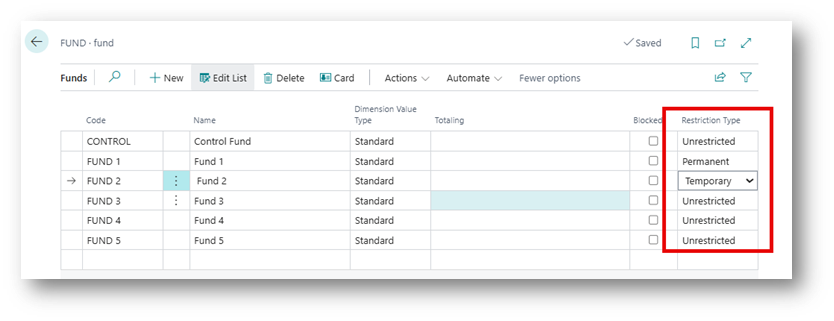
For organizations that are non-profits and managing grants with donor-imposed restrictions (e.g. funds that can only be used for a specific purpose), it is important to be able to set up restrictions by Fund on the use of the donated funds. With Fund Accounting, restrictions can be designated at the Fund level as Permanently Restricted, Temporarily Restricted, or Unrestricted.
For organizations that are for-profit and don’t typically manage funds, this Fund Type feature can be useful for documenting policies that should be adhered to how certain funds are spent—such as capital improvement or reserve funds. It also provides added control and detailed reporting for specific purposes, like internal governance or meeting external regulatory requirements.
Supports Two Different Ways of Distribution
For information on processing Fund Distribution Entries, see: Fund Distribution Process
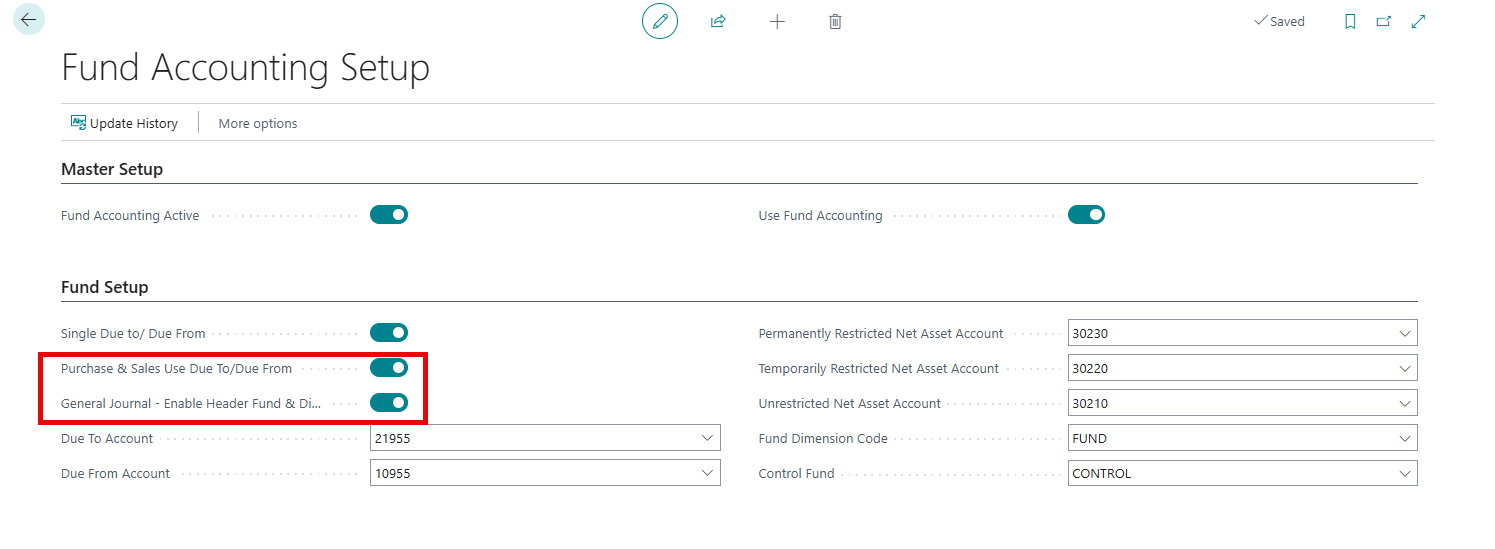
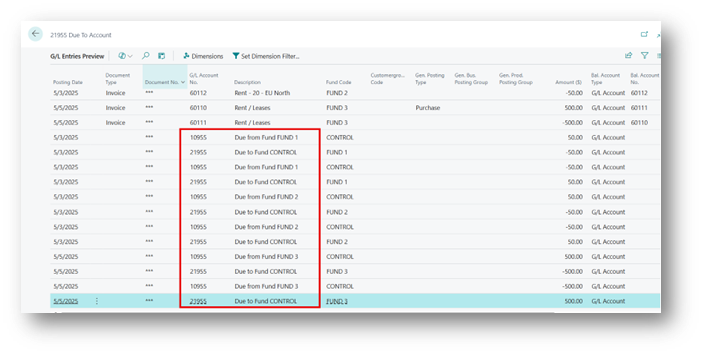
When Due to/Due From is enabled, journal entries posted between funds will create additional entries to “Due From and Due To” General Ledger Accounts set up in Fund Accounting Setup to balance the entries by fund. Entries posted from purchase and sales documents and cash payments and receipts will distribute the accounts payable, accounts receivable, and cash entries using the same fund designated on the lines of the documents and journals.
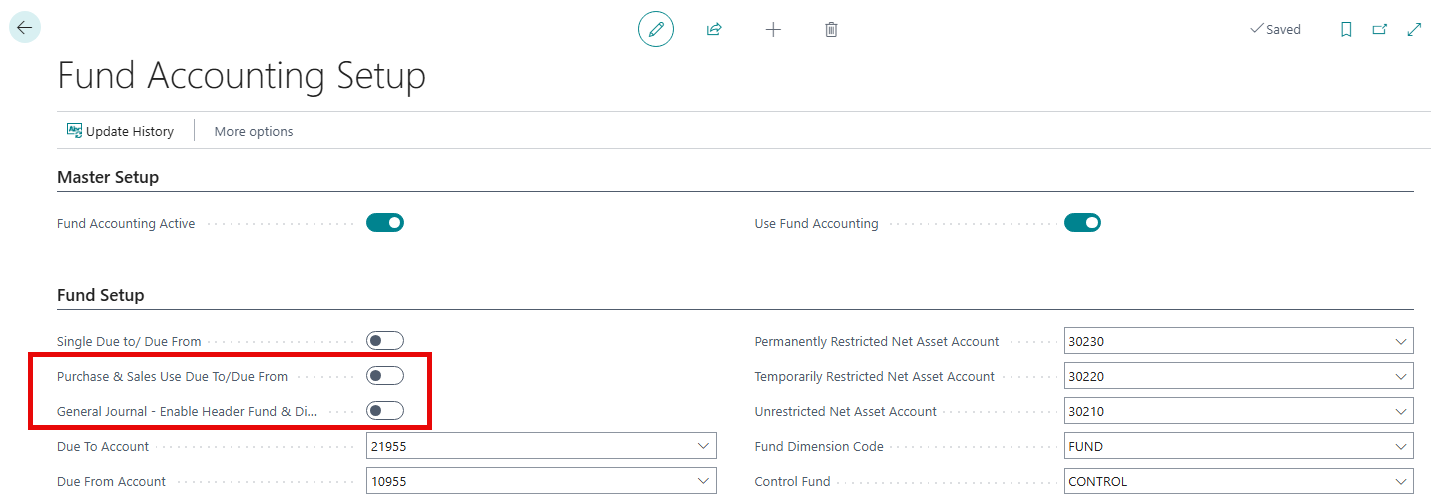
If Due To/Due From is disabled, the system cannot create balancing entries between funds. Instead, it uses Fund Distribution to split the original transaction amount among the funds, keeping each fund’s financial statements accurate. It posts the amounts to the same GL account entered on the transaction line but divided among the funds. This ensures that each fund bears its share of the cost or revenue.
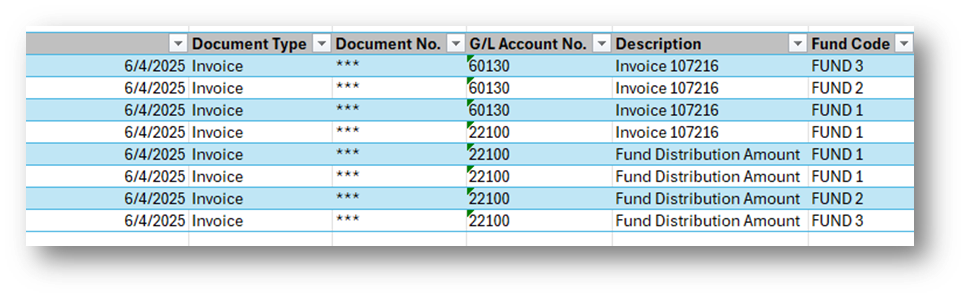
Dynamics 365 Business Central pages supported with Fund Accounting
- Payables
- Purchase Invoice
- Purchase Order
- Payment Journal
- Receivables
- Sales Invoice
- Sales Order
- Cash Receipt
- General Ledger
- General Journals
Important
The General Journal, Cash Receipts Journal, and Payment Journal are designed to only support single‑line entries.
Close Income Statement
The Close Income Statement feature also allows the user to close the Income Statement at year-end to the Retained Earnings accounts by designated Restriction Type.
Advanced Allocations Summary
• Actual posted expenses and other General Ledger activity trigger allocation entries in real time.
• Unlimited ad-hoc or monthly allocations can be setup using actual or statistical entries.