Distribution Process
All transactions will require a fund be designated on all lines.
General Journals
When General Journal - Enable Header Fund & Disable Control Fund is set to "FALSE", there is no Fund Code field in the header.
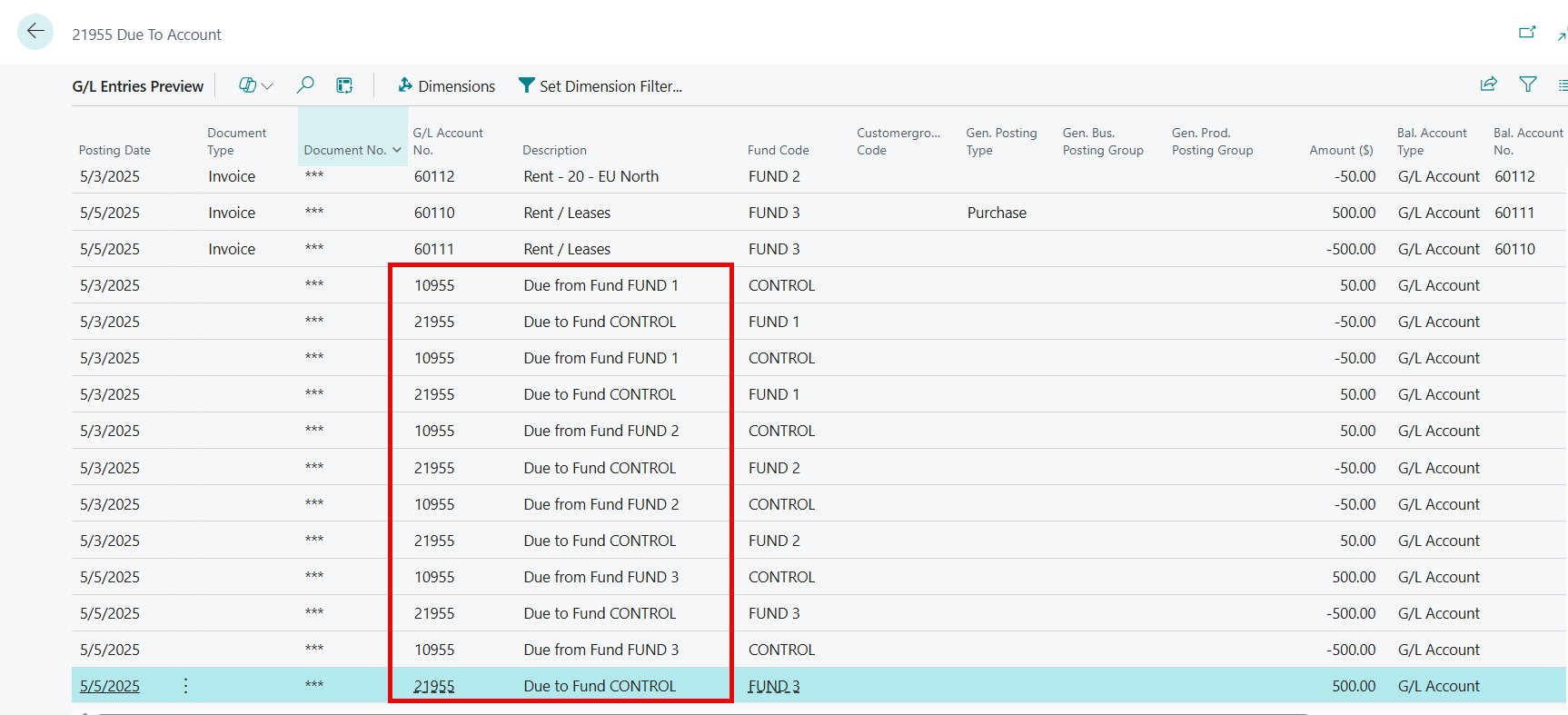
When posting General Journal batches, if the funds designated on the lines are different, Due From/To entries will also be posted.
Search General Journals in the ribbon and select the related link. Select a batch from the list.
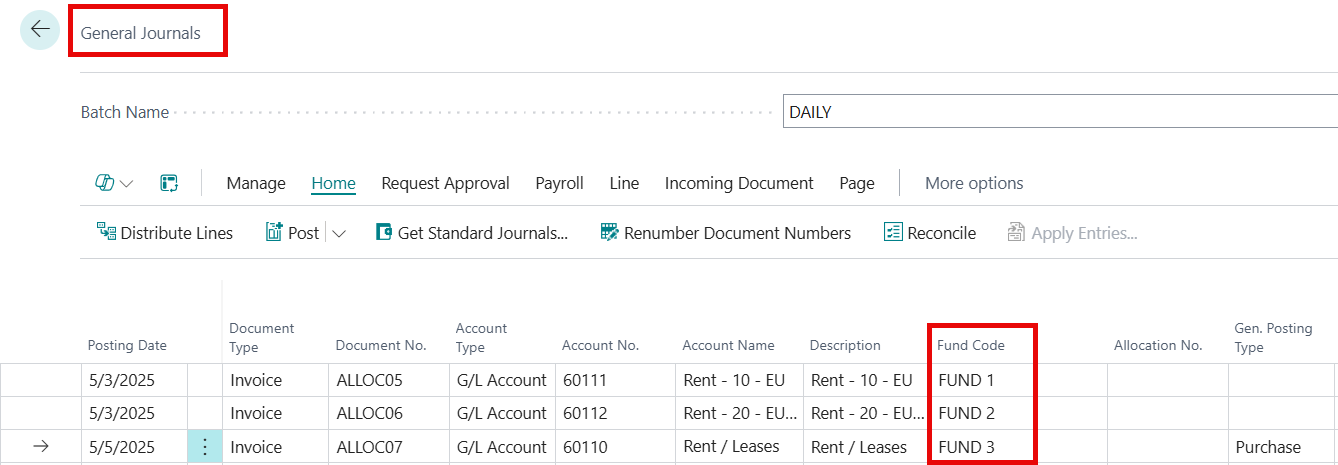
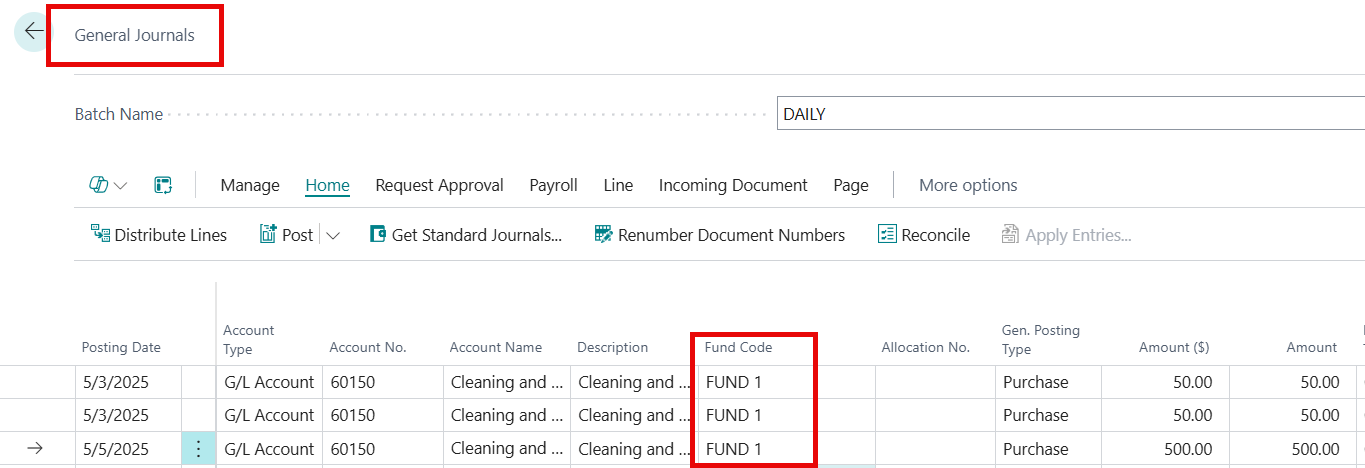
Enter a Posting Date, Document No., G/L Account Type, G/L Account No., Description, Amount, and Fund Code for each line in the journal.
Note
In the journal, the Fund Code value is different for each line in the journal. When the entry is posted, a Due From and a Due To entry will be posted for each line.
Note
If the Fund Code value is the same for all entries in the journal, the Due From and Due To entries are not required and not generated.
Purchase documents
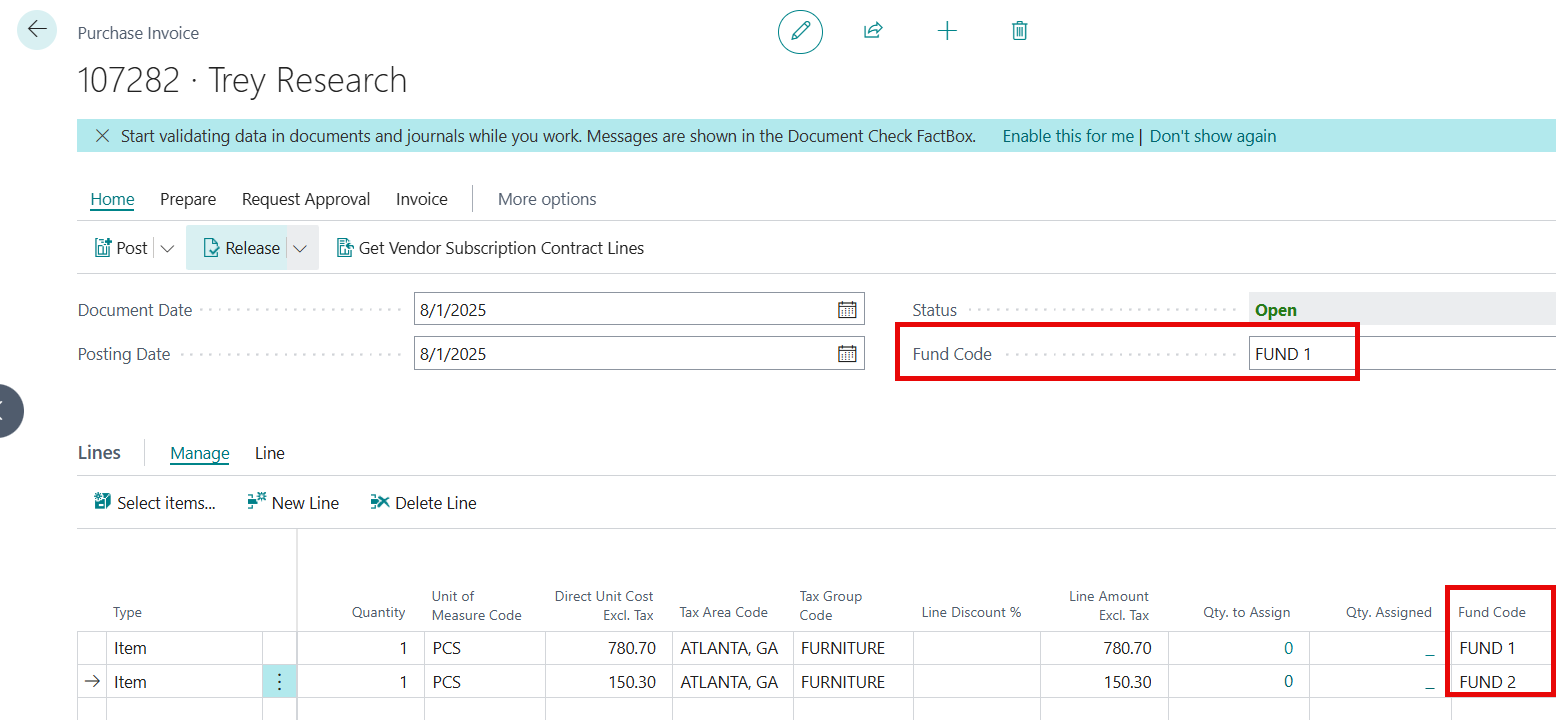
When creating a purchase document, if the Vendor Card designates a default fund, the fund will populate in the Fund Code field on the Purchase Invoice > General tab to be used on the Accounts Payable entry when the invoice is posted and on the lines as the user enters the data on each line.
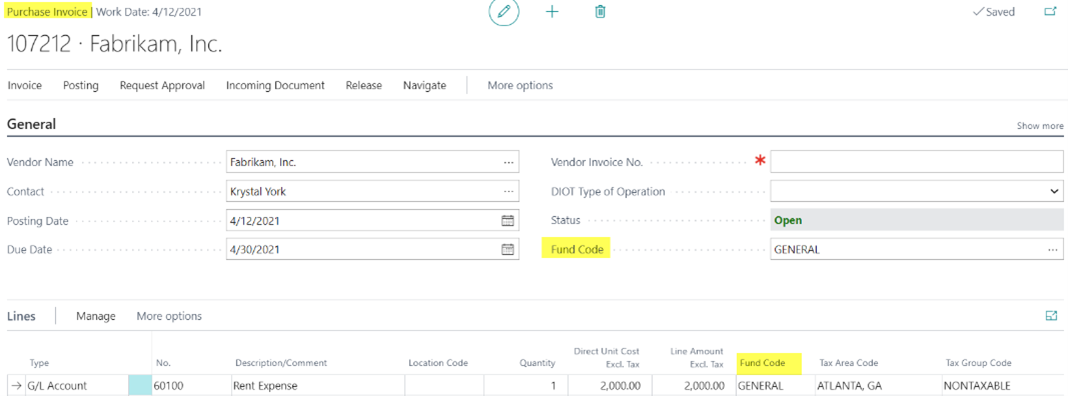
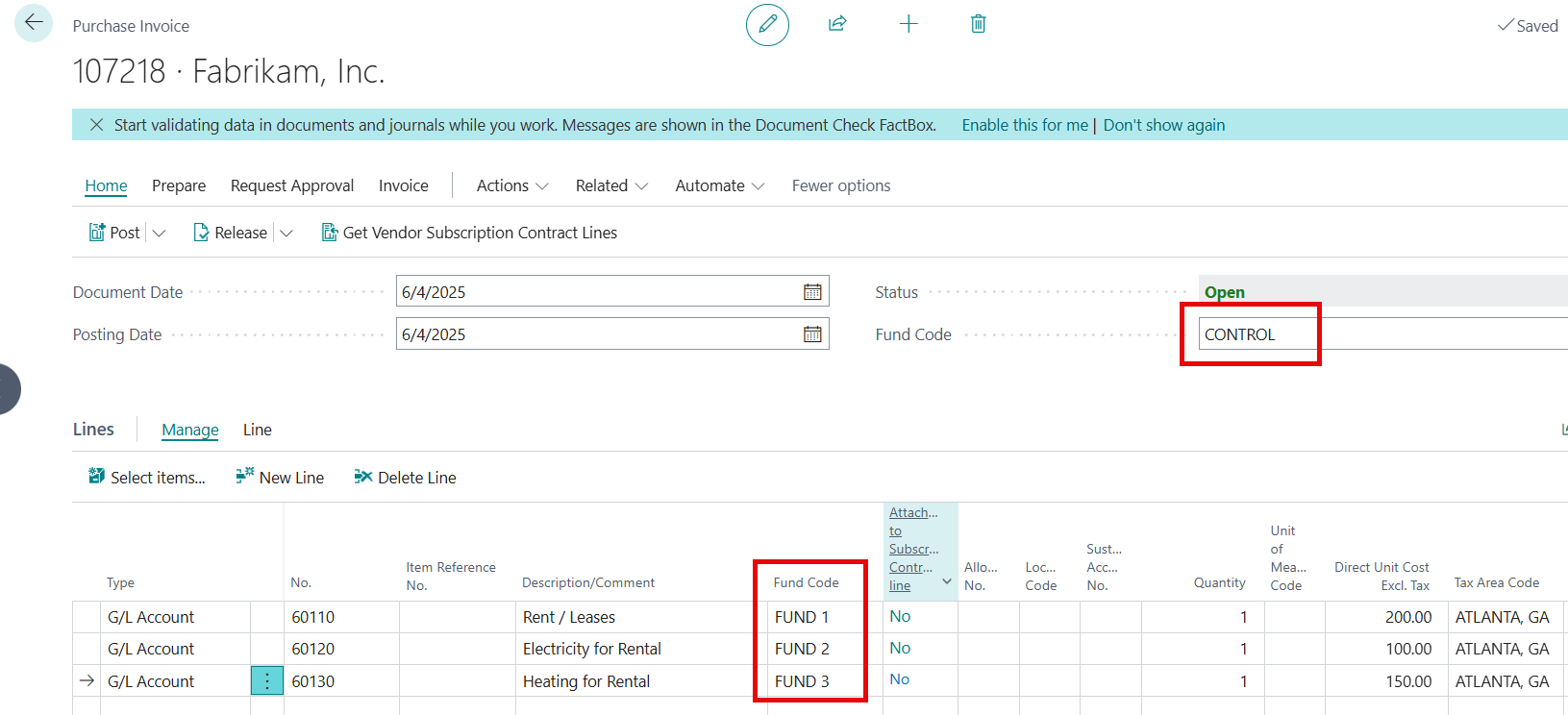
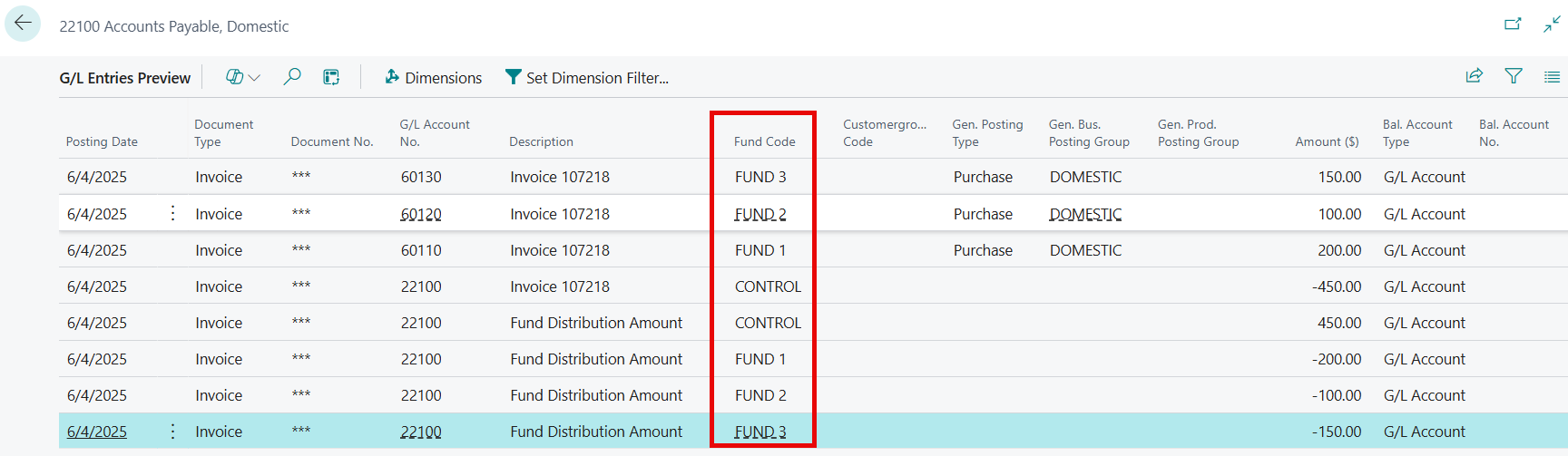
When a purchase invoice with different funds on the Purchase Invoice > General tab and the lines is posted, the Accounts Payable entry is distributed by fund. An entry is posted to initially house a holding entry using the fund in the Purchase Invoice > General tab before creating the distributed entry. The user should use the Control fund or General or Operation fund in the Purchase Invoice > General tab.
Sales documents
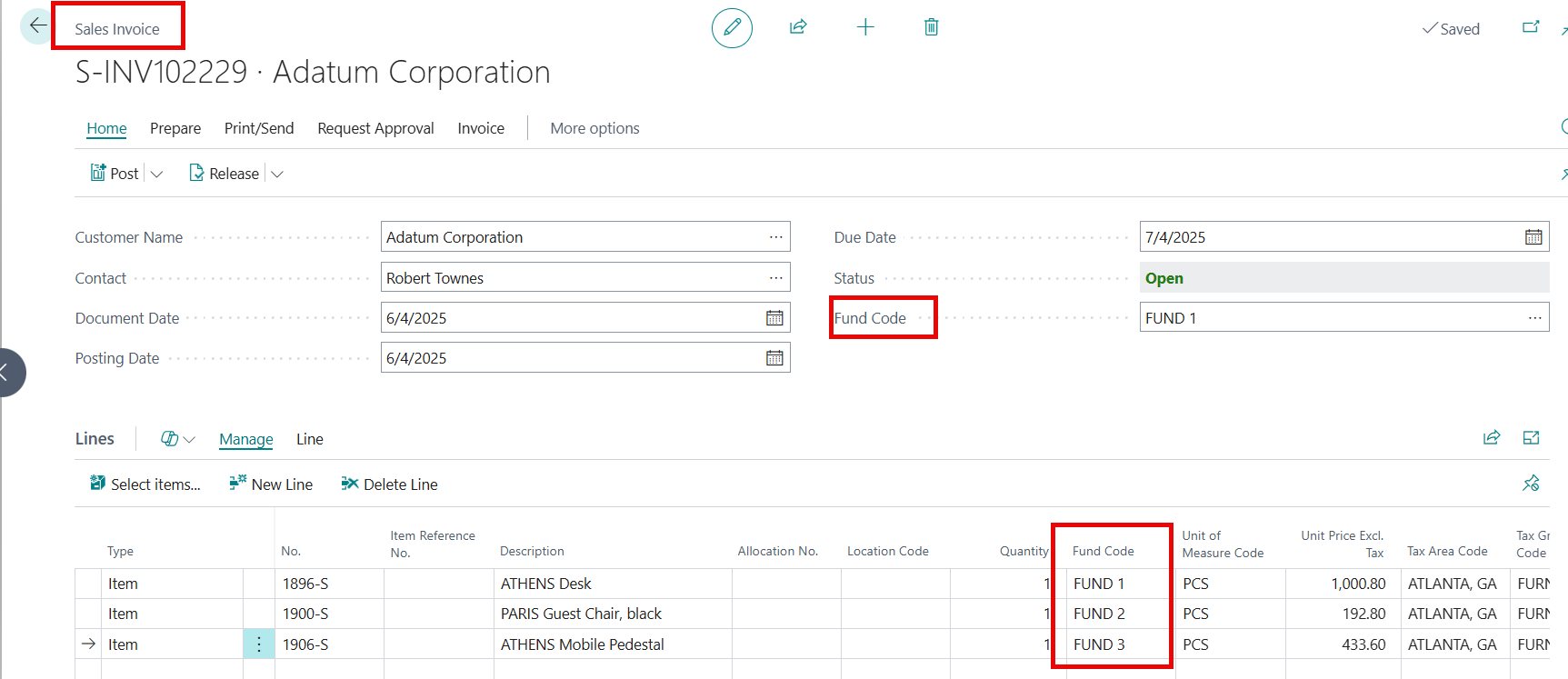
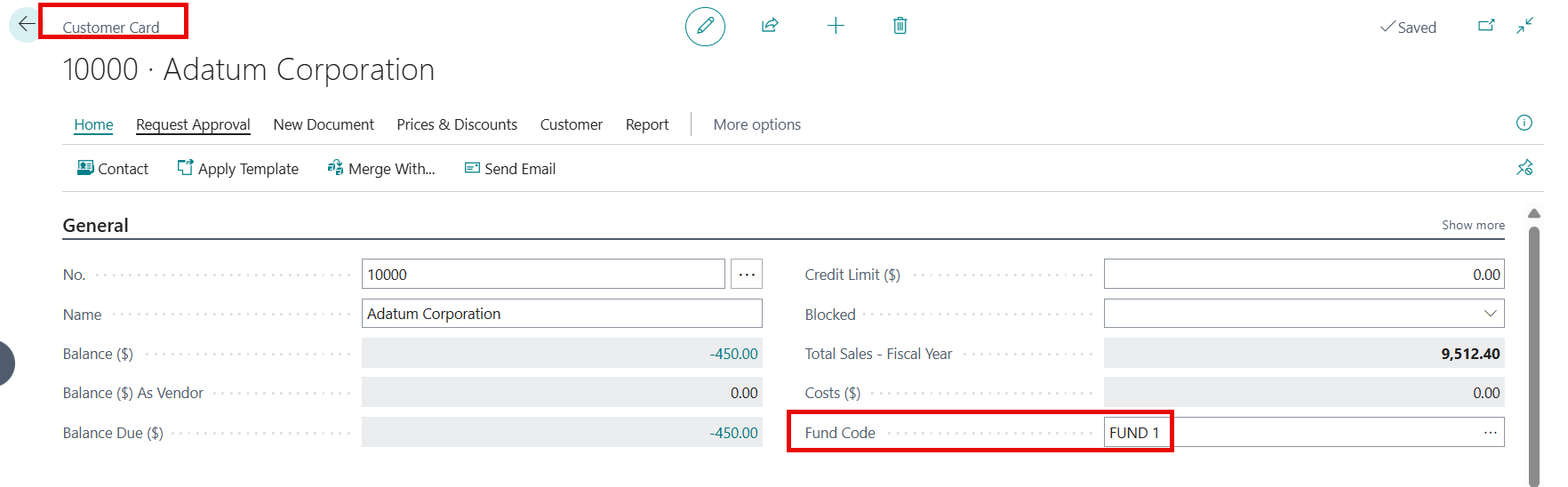
When creating a sales document, if the Customer Card designates a default fund, the fund will populate in the Fund field on the Sales Invoice > General Tab. This is used on the Accounts Receivable entry when the invoice is posted and, on the lines, as the user enters the data on each line.
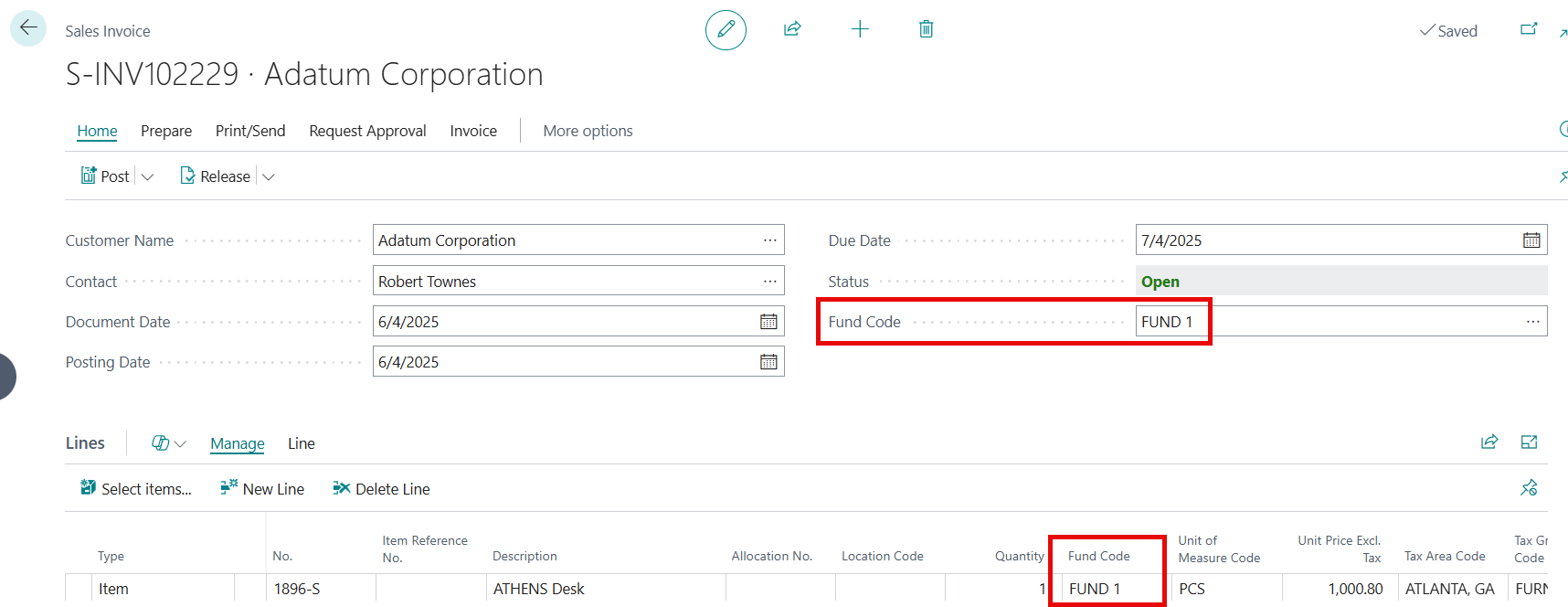
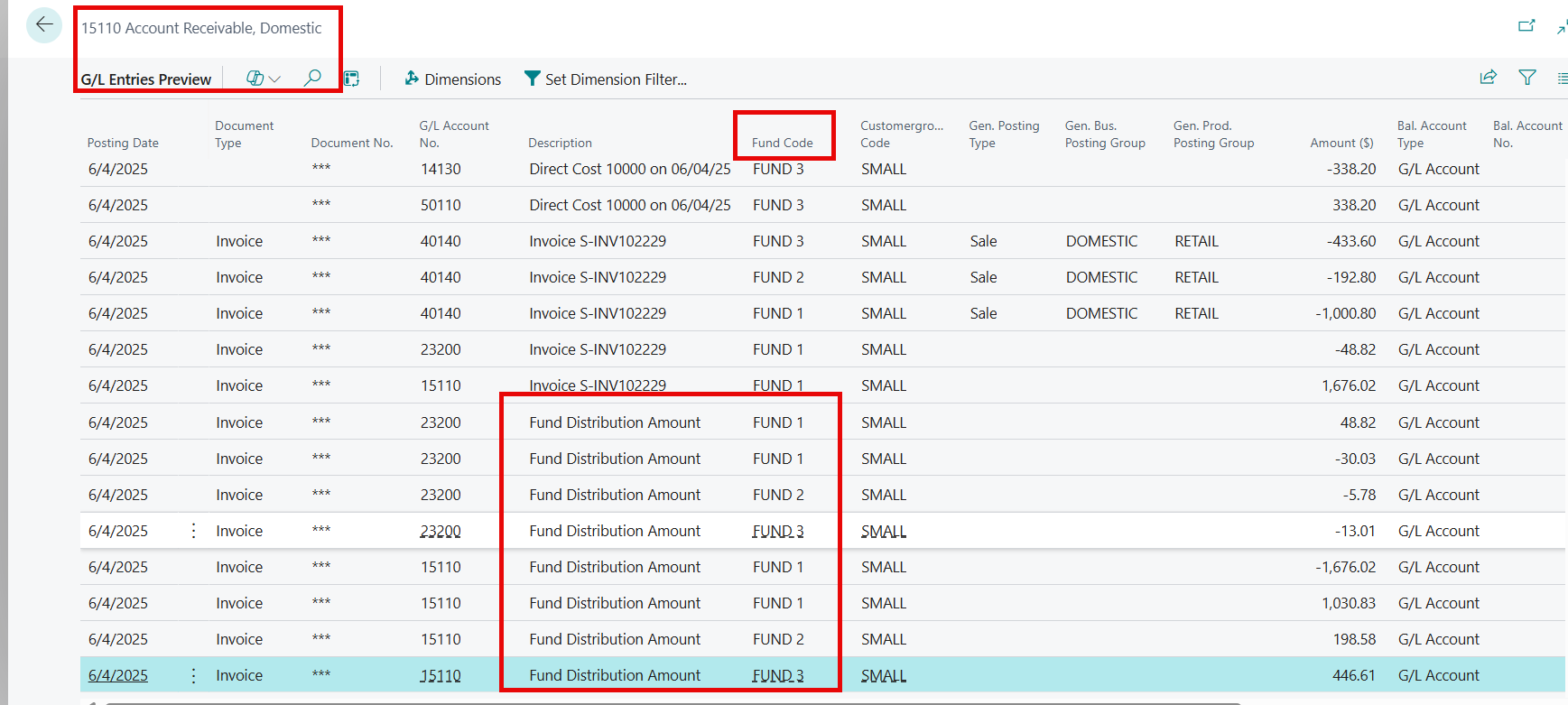
When a sales invoice with different Funds on the Sales Invoice > General tab and the lines is posted, the Accounts Receivable entry is distributed by fund. An entry is posted to initially house a holding entry using the fund in the Sales Invoice > General tab before creating the distributed entry. The user should use the Control fund or General or Operation fund in the General tab.